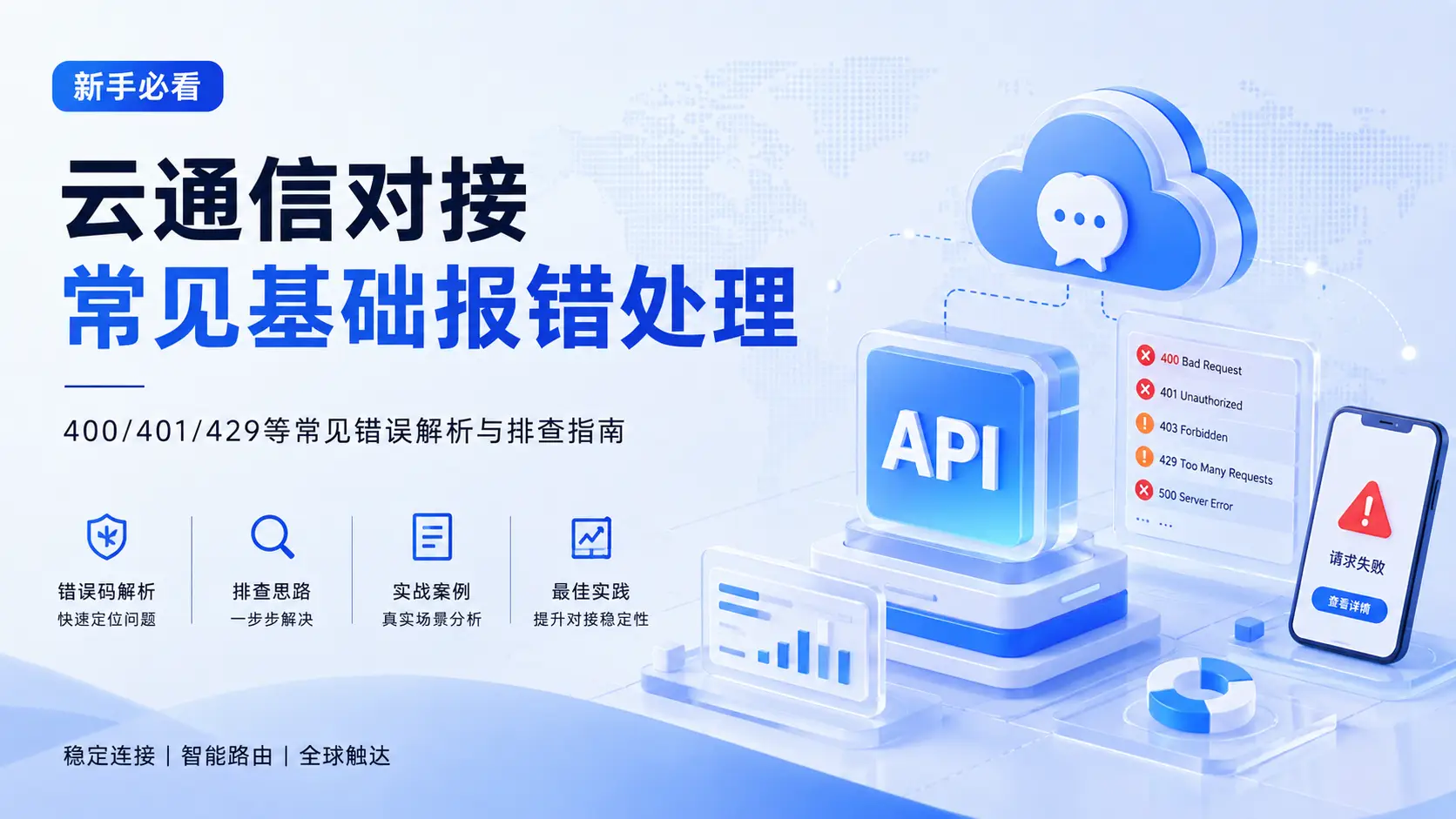
Cloud Communication API Error Handling Guide: 400, 401, 429 and Webhook Troubleshooting
When integrating a cloud communication platform for the first time, what developers get stuck on most often is not the API call itself, but various basic errors.
For example:
- Cloud communication API returns 400
- API Key authentication fails
- International SMS interface returns 401
- HTTP 429 due to excessive request frequency
- Webhook never receives status callbacks
- API returns success, but users never receive the SMS
These problems all look like "send failure", but they can occur at completely different technical layers.
A complete cloud communication request typically passes through:
Business System → Cloud Communication API → Authentication → Parameter Validation → Message Queue → Smart Routing → Communication Channel → Carrier Network → User Terminal
Therefore, the first principle of troubleshooting cloud communication API issues is:
📌 First determine which layer the error occurs at, then decide how to handle it.
If the API directly returns 400 or 401, the problem usually stays at the interface layer; if the API already returns a message ID but the user does not receive the SMS, you should continue checking message status, channel routing, and carrier receipts.
I. What Are the Common Cloud Communication API Errors?
From real projects, the basic problems in cloud communication interface integration mainly fall into six categories:
- Request parameter errors
- API authentication failure
- Insufficient account or interface permissions
- Request frequency exceeds limits
- Network or server-side exceptions
- Message entered the platform, but subsequent delivery failed
Common HTTP status codes include:
| HTTP Status Code |
Common Meaning |
Priority Troubleshooting Direction |
| 400 |
Bad Request |
JSON, parameters, number format |
| 401 |
Unauthorized |
API Key, Token, signature |
| 403 |
Forbidden |
Product permissions, IP whitelist |
| 404 |
Not Found |
URL, API version |
| 405 |
Method Not Allowed |
GET, POST |
| 415 |
Unsupported Media Type |
Content-Type |
| 422 |
Validation Failed |
Fields and values |
| 429 |
Too Many Requests |
Rate limiting, concurrency |
| 500 |
Internal Server Error |
Service status |
| 502 |
Bad Gateway |
Network, upstream service |
| 503 |
Service Unavailable |
Service status, retry |
| 504 |
Gateway Timeout |
Network, Timeout |
Note that in addition to HTTP status codes, different cloud communication platforms usually provide their own business error codes.
Therefore, in production environments it is best to save all of the following:
HTTP Status + Business Error Code + Request ID + Message ID
💡 This has far more troubleshooting value than just looking at a single "send failure".
II. How to Handle a 400 Bad Request from the Cloud Communication API?
A 400 return from the cloud communication API usually means the request parameters or request format do not meet the interface requirements.
This is one of the most common errors when integrating SMS APIs, voice APIs, and other communication interfaces.
Common Cause 1: Missing Required Parameters
For example, an international SMS API may require:
to
sender
content
If any required field is missing, the platform may directly return 400.
Common Cause 2: Incorrect Field Names
The interface requires:
{
  "phone": "+8613800000000"
}
But the actual submission is:
{
  "mobile": "+8613800000000"
}
Even though the two fields have the same meaning, the API will not recognize them automatically.
Common Cause 3: Incorrect Phone Number Format
International SMS APIs usually recommend the standard E.164 format:
+8613800000000
+14155552671
+447700900000
If you submit directly:
13800000000
The platform may not be able to accurately determine the country or region of the number.
Common Cause 4: Malformed JSON
For example:
{
  "to": "+8613800000000",
  "content": "Your code is 123456"
  <-- missing closing brace
Because the closing brace is missing, the server cannot parse it normally.
📋 Standard 400 Error Troubleshooting Order
It is recommended to check in this order:
API URL → HTTP Method → Header → Content-Type → JSON → Required Parameters → Field Types → Parameter Values
Check each item one by one.
⚠️ If a 400 is returned, it is not recommended to suspect the SMS channel first.
Because at this point the message most likely has not entered the cloud communication platform sending flow at all.
III. What Causes a 401 Unauthorized from the Cloud Communication API?
401 usually means cloud communication API authentication failed.
In other words, the request reached the server, but the server cannot confirm that the current request has a legitimate identity.
Common causes include:
- API Key entered incorrectly
- Incorrect Access Token
- Token has expired
- Malformed Authorization Header
- Incorrect API Secret
- Inconsistent signature algorithm
- Expired timestamp
- Mixing test and production environment keys
For example, the interface requires:
Authorization: Bearer YOUR_TOKEN
If it is submitted as:
Authorization: YOUR_TOKEN
a 401 may occur.
For platforms that use:
App ID + App Secret + Timestamp + Signature
authentication, you also need to carefully check:
- Parameter ordering
- URL encoding
- Hash algorithm
- Timestamp
- Character encoding
- Whether the Secret is correct
🔧 What if it works locally but returns 401 on the server?
This problem is very common.
First check the server environment variables, for example:
API_KEY
API_SECRET
API_BASE_URL
are loaded correctly.
Especially when deploying Laravel, Node.js, Java and other projects, it frequently happens that test environment configuration is not synced to the production environment.
🔒 Also, never log the full API Secret or Access Token; they should be masked.
IV. How to Handle a 403 Forbidden from the Cloud Communication API?
401 and 403 are often confused.
A simple way to understand:
401 → 401: Identity authentication did not pass.
403 → 403: Identity is confirmed, but the current account has no permission to perform this operation.
Common causes include:
- International SMS is not activated for the current account
- The API Key lacks the relevant product permissions
- IP whitelist is not configured
- Sender ID usage permission is not granted
- The current country or region is not enabled
- Account status is restricted
If the API Key is confirmed correct but 403 still appears, focus on checking:
🔍 Account Permissions → Product Permissions → IP Whitelist → Sender ID → Country Permissions
V. What to Do When the Cloud Communication Interface Returns 404 Not Found?
404 usually means the API interface or requested resource does not exist.
Common situations include:
API URL Typo
For example:
/v1/message
The actual interface is:
/v1/messages
API Version Error
For example, the platform has upgraded to:
/v2/messages
But the business system still accesses:
/v1/messages
Message ID Does Not Exist
For example, querying:
/messages/msg_123456
If this ID does not exist, a 404 may also be returned.
💡 Recommendation
Do not hardcode the API address in business code.
You can configure uniformly:
API_BASE_URL
API_VERSION
API_KEY
ENVIRONMENT
This makes switching between test, staging, and production environments safer.
VI. How to Resolve 405 Method Not Allowed?
405 usually means:
The API URL is correct, but the HTTP Method is wrong.
For example, the message query interface requires:
GET /messages/{id}
While the SMS sending interface requires:
POST /messages
If you mistakenly use GET when sending SMS, a 405 may be returned.
So when integrating cloud communication APIs, do not just copy the URL; you also need to confirm:
- GET
- POST
- PUT
- PATCH
- DELETE
and which business operation each corresponds to.
VII. What Is the 415 Unsupported Media Type Problem?
415 is usually related to the request data format.
For example, the API requires:
Content-Type: application/json
But the code actually submits:
Content-Type: application/x-www-form-urlencoded
The server may refuse to parse it.
For a JSON-type SMS API, the request typically looks like:
POST /v1/messages
Content-Type: application/json

{
  "to": "+8613800000000",
  "content": "Your verification code is 123456"
}
If you use SDKs in PHP, Laravel, Java, Node.js, etc., you should also confirm that the underlying data format actually sent matches the API documentation.
VIII. How to Handle 429 Too Many Requests?
429 means the current API request frequency exceeds the limit allowed by the platform or account.
This problem is not necessarily obvious during testing, but it is very common once the business enters production.
For example, the platform allows:
100 Requests / Second
But during peak traffic the business instantly sends:
1000 Requests / Second
which may trigger rate limiting.
❌ Wrong Approach
Failure
↓
Retry immediately
↓
Fail again
↓
Keep retrying immediately
This may further amplify request pressure.
✅ A More Reasonable Approach
Recommended approach:
Rate Limiting + Message Queue + Exponential Backoff + Maximum Retry Count
For example:
First failure: retry after 1 second
↓
Second failure: retry after 2 seconds
↓
Third failure: retry after 4 seconds
↓
Fourth failure: stop automatic retry
💡 If the response includes Retry-After, you can prioritize following the time returned by the platform.
📨 For high-concurrency international SMS business, the sending interface should not let business threads call it directly with unlimited concurrency; instead, use a message queue for peak shaving.
IX. How to Handle 500, 502, 503, 504 Errors?
Unlike 4xx errors, 5xx errors mostly represent:
temporary exceptions in the cloud communication platform, API gateway, or network path.
Common statuses include:
500 Internal Server Error
502 Bad Gateway
503 Service Unavailable
504 Gateway Timeout
For this type of problem, you can consider automatic retries with a limited number of attempts.
Recommended configuration:
- Connect Timeout
- Read Timeout
- Maximum retry count
- Exponential backoff
- Circuit breaker mechanism
- Exception queue
- Service monitoring
- Alerting system
🔁 Which Errors Are Suitable for Automatic Retry?
Generally speaking:
429 / 500 / 502 / 503 / 504
can be retried a limited number of times depending on the specific business.
While:
400 / 401 / 403 / 404 / 422
are generally not recommended for direct repeated requests.
⚠️ Because the parameters, permissions, or authentication themselves have problems, retrying 100 times will not change the result.
X. The API Call Succeeds, So Why Is the International SMS Still Not Received?
This is one of the most typical misconceptions in international SMS API integration.
For example, the interface returns:
{
  "code": 0,
  "message_id": "msg_123456"
}
This usually only means:
✅ The cloud communication platform has accepted the send request.
It does not mean:
❌ The SMS has been delivered to the user phone.
The complete international SMS sending link may be:
Enterprise Business System
↓
Cloud Communication API
↓
Message Queue
↓
Smart Routing
↓
International SMS Channel
↓
Overseas Carrier
↓
User Mobile Phone
So you still need to keep an eye on message status.
For example:
QUEUED
  ↓
SENT
  ↓
DELIVERED
Or it could be:
QUEUED
  ↓
SENT
  ↓
FAILED
If you already have a message_id, the next step is to query:
- Message Status
- Delivery Report
- Error Code
- Operator Response
- Channel Status
So to determine whether an international SMS truly succeeded, the final thing to look at is:
📌 the carrier status receipt, not the API response itself.
XI. What to Do When Webhook Does Not Receive SMS Status Callbacks?
After many enterprises complete SMS API integration, they also need to configure a Webhook to receive message status.
For example:
Delivery Report
Status Callback
Webhook
If the API call works normally but the server never receives callbacks, prioritize checking the following issues.
1. Is the Webhook publicly accessible?
If you fill in:
http://127.0.0.1:8000/callback
the external cloud communication platform cannot access it.
Production environments must use a publicly accessible address.
2. Is the HTTPS certificate normal?
If the server uses HTTPS, confirm:
- SSL certificate is valid
- Domain matches
- Certificate chain is complete
- TLS configuration is normal
3. Is the firewall allowing traffic?
Check whether the server, security groups, WAF, etc. are blocking external requests.
4. Is a 2xx status code returned?
It is recommended that the Webhook respond quickly after receiving a request:
HTTP/1.1 200 OK
Then complete subsequent business logic asynchronously through a message queue.
⚠️ Do not let the Webhook interface execute complex business logic for dozens of seconds.
5. Is the JSON parsed correctly?
For example, the platform returns:
{
  "message_id": "msg_123456",
  "status": "delivered",
  "to": "+8613800000000"
}
💡 Fields must be parsed strictly according to the actual cloud communication platform API documentation.
XII. What Other Special Issues Exist in International SMS API Integration?
If the API layer is completely normal but international SMS still fails to send, you need to troubleshoot at the communication business layer.
📛 Sender ID Issues
Some countries and regions require enterprises to complete Sender ID registration in advance.
If the Sender is not registered or the format does not meet local requirements, the SMS may be rejected or replaced.
📝 SMS Content Issues
Different countries and carriers may have different rules for:
- Verification code SMS
- Marketing SMS
- Financial SMS
- Gaming SMS
- E-commerce notifications
Different rules may apply.
⚠️ Even if the API call is completely normal, SMS content that triggers carrier rules may still be blocked.
📱 Incorrect International Number Format
It is recommended to uniformly use the E.164 format for international SMS numbers.
🔀 Channel Routing Issues
There may be multiple carriers in the same country, and different international SMS channels may differ in:
- Delivery rate
- Latency
- Sender support
- Content restrictions
- Price
All of these may differ.
💡 Therefore, mature cloud communication platforms usually do not rely on a single channel; they improve stability through multi-channel and smart routing.
XIII. Why Is Good Logging Essential for Cloud Communication API Integration?
Many cloud communication problems are hard to troubleshoot not because the platform returns no information, but because the enterprise did not save logs.
It is recommended to record at least:
request_id
message_id
API URL
HTTP Method
HTTP Status
business_code
destination
sender
request_time
response_time
message_status
error_code
error_message
For example:
{
  "request_id": "req_123456",
  "message_id": "msg_789012",
  "status_code": 200,
  "destination": "+86138******00",
  "status": "queued",
  "timestamp": "2026-09-04T10:30:00+08:00"
}
Special attention:
🔒 Do not write sensitive credentials such as API Secret, full Token, or passwords into logs.
Good logs help technical teams follow:
🔎 Request ID → API Request → Message ID → Cloud Communication Platform → SMS Channel → Carrier → Final Receipt
to reconstruct the complete lifecycle of a message.
XIV. Standard Cloud Communication API Troubleshooting Process
When facing cloud communication interface errors, you can handle them in the following order:
API Call Failed
      ↓
Check HTTP Status
      ↓
4xx? → Check Parameters / Authentication / Permissions
429? → Check Concurrency / Rate Limiting / Retries
5xx? → Check Network / Service / Timeout
      ↓
Message ID Obtained?
      ↓ Yes
Query Message Status
      ↓
Get Delivery Report
      ↓
Check Channel and Carrier Responses
      ↓
Locate Final Failure Cause
💡 This process applies not only to international SMS APIs, but also to voice, email, and other CPaaS communication interfaces.
XV. Cloud Communication API FAQ
1. What to do when the cloud communication API returns a 400 error?
400 usually means request parameters or request format are wrong. It is recommended to check HTTP Method, Content-Type, JSON format, required fields, phone number format, and parameter types.
2. What causes a 401 from the cloud communication API?
401 usually means API authentication failed. Focus on checking API Key, Token, Authorization Header, Secret, signature algorithm, and timestamp.
3. Should I keep retrying when the API returns 429?
Immediate continuous retries are not recommended. 429 means request frequency is too high; it should be handled through rate limiting, message queues, exponential backoff, and a maximum retry count.
4. Why do users not receive SMS even though the SMS API call succeeds?
API success usually only means the cloud communication platform accepted the request; it does not mean the carrier completed delivery. You need to continue checking Message ID, message status, Delivery Report, and carrier error codes.
5. What to do when Webhook does not receive status callbacks?
First confirm the Webhook URL is publicly accessible, then check the HTTPS certificate, firewall, HTTP return status code, and JSON parsing.
6. Are all international SMS delivery failures API problems?
No. Even after the API is normal, SMS can still fail due to Sender ID, content rules, number format, national policies, carrier restrictions, and channel quality.
7. What format should international SMS numbers use?
International SMS is generally recommended to use the E.164 format; for example, a Chinese mainland mobile number can be represented as +8613800000000.
XVI. From "The Interface Can Send" to "A Stable Communication System"
For developers just starting cloud communication API integration, implementing:
POST /messages
is not difficult.
What is really difficult is how to continuously guarantee after the business enters production:
- Interface availability
- No message loss
- No jams under high concurrency
- Exceptions can be retried
- Status can be tracked
- Channels can switch automatically
- Overseas carrier exceptions can be located quickly
Especially for core business such as verification codes, registration/login, payment notifications, and order notifications, one failed communication message can directly affect user conversion.
Therefore, when choosing a cloud communication platform, enterprises should not only focus on:
They should also focus on:
✅ API Stability + Global Channel Coverage + Smart Routing + Status Receipts + Failover + Technical Support
These capabilities together determine whether an international communication system can ultimately run stably.
XVII. Does Your Overseas Business Need a Stable International SMS API?
For overseas businesses such as cross-border e-commerce, SaaS, gaming, fintech, and social platforms, international SMS typically carries critical scenarios including verification codes, identity verification, order notifications, payment reminders, and user operations.
If your business is encountering:
- Overseas verification codes not received
- Unstable international SMS delivery rates
- Significant differences in sending results across countries
- Problems with API or Webhook integration
- Existing international SMS channels need optimization
- Want to integrate SMS, email, and voice capabilities together
You can choose a more suitable communication integration solution based on your actual target countries, daily sending volume, message types, and current technical architecture.
Get a Cloud Communication API Integration Plan
Access international SMS, email, and voice communication capabilities through a unified API, combined with multi-channel routing, status receipts, and sending monitoring, to build a more stable global communication infrastructure for overseas business.
- 👉 Consult International SMS API Integration Plan
- 👉 Apply for International SMS Channel Testing
- 👉 View API Development Documentation
Contact us